Context engineering: the L0-to-L5 playbook
Choose context controls from L0 to L5 according to the failure you observe, from project documentation to scoped rules, behavior checks and shared configuration.
Jump to summary
Written by Florian Bruniaux
AI Founding Engineer at Méthode Aristote, 13 years scaling engineering teams from developer to CTO. Builds open-source developer tools, see what else I've shipped.
What you'll set up
- ✓ Identify the missing context capability and the failure it may help address
- ✓ How file size guidance differs from measured instruction adherence
- ✓ Path-scoping applied and context reduction measured in your own project
- ✓ A canary check and ACE loop with separate loading and behavior evidence
- ✓ A decision rule for rules vs. skills
Prerequisites
- → Claude Code installed (Level 1 of the setup guide)
- → A CLAUDE.md file, even a basic one
TL;DR
I recommend fixing the failure you can observe before adding structure: if your CLAUDE.md is under 100 lines and you still correct basic conventions, add content; if it is past 200 lines and keeps growing, add path-scoping (L3) before any new rule, unless a shared configuration across several people already forces L5. Many of the teams I see are at L0-L1 and a few at L2, so for many readers the next step is a better CLAUDE.md or scoped rules, not infrastructure. I expect context engineering as a discipline to be absorbed by harness engineering, while “context engineer” becomes a real job title within two years for the people who carry it.
A CLAUDE.md exists in most Claude Code setups after the first week. People write down the package manager, the test command, a few conventions, and feel like the configuration problem is solved. Then three months later the output is mediocre and nobody quite knows why. Claude keeps suggesting npm install instead of pnpm, or generates against an API that was deprecated in sprint eight, or follows a rule inconsistently depending on how far into the session you are.
Those symptoms do not establish a single cause or a size threshold. The conventions may be stale, irrelevant to the task, absent from the loaded context, or present but not followed. Inspect those possibilities separately.
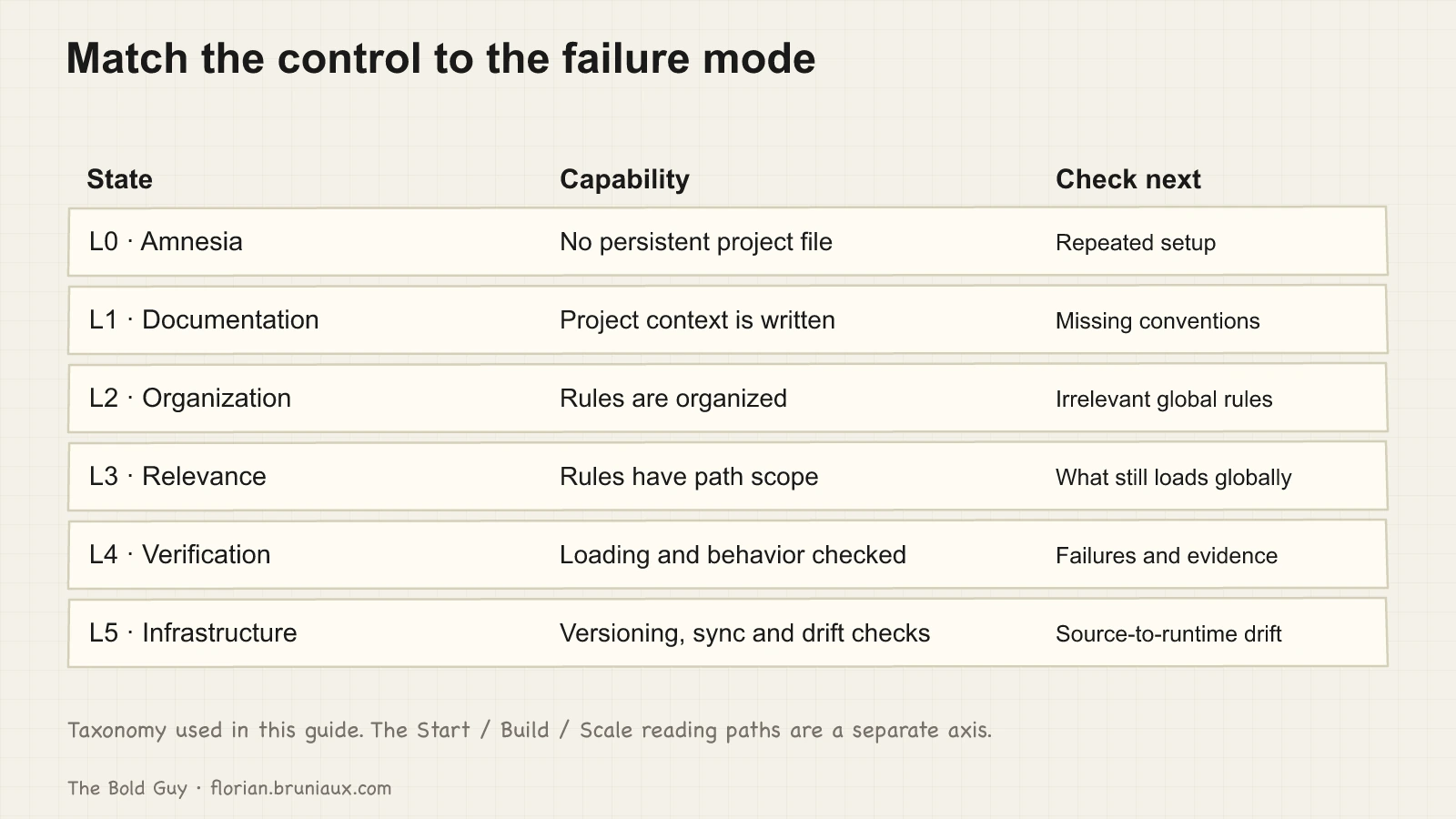
The six states below name context capabilities and the failures they can help investigate. L3 addresses relevance. L4 checks configuration loading and observed behavior separately. L5 adds versioning, synchronization, and CI when several people or tools share the configuration. This guide is the execution playbook: what each state looks like concretely, what breaks there, and the one step that changes the operating condition. For the research behind why adherence degrades and how to measure drift in the first place, see the diagnostic piece on CLAUDE.md drift.
L0 to L5 describes capabilities inside the context system. The site’s Start, Build, and Scale paths answer a different question: what the reader needs under the current adoption conditions. The two axes are independent. A Start reader may need L3 path-scoping to keep one task understandable. A Scale team may keep a constrained L2 configuration while adding ownership and audit controls around it.
Size guidance is not a universal cliff
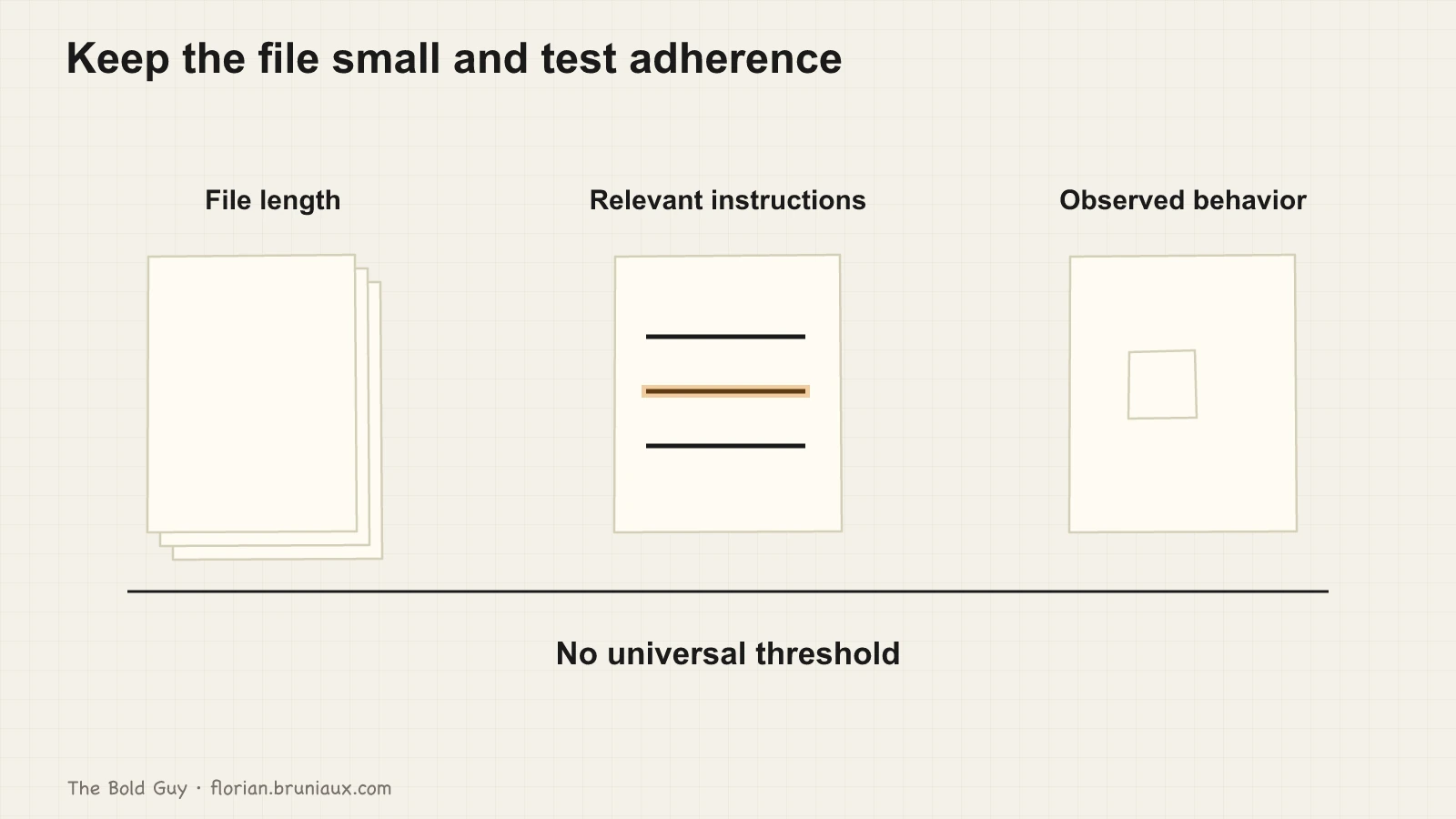
Before the levels, the size problem. HumanLayer’s Writing a good CLAUDE.md puts the ceiling around 150 to 200 instructions a model can follow reliably, a budget your file shares with Claude Code’s own system prompt. Their practical recommendation for the file itself is much stricter: under 300 lines, shorter is better, and their own root file sits below sixty. Anthropic’s documentation says the same thing from the other side: long CLAUDE.md files consume more context and may reduce adherence, and the official recommendation is to keep each file under 200 lines (the memory systems chapter of the Claude Code guide collects the official guidance in one place). Long-context research (Liu et al., “Lost in the Middle”, TACL 2024) points the same direction: models use long contexts unevenly, and there is no universal threshold because the cliff is model- and task-dependent.
File length, instruction count and behavioral adherence are different measurements. The cited size recommendations are engineering heuristics, while the long-context study measures performance on specific tasks. Neither establishes a universal CLAUDE.md failure threshold. Keep the file focused and test the conventions you depend on.
The cited lost-in-the-middle result concerns retrieval positions in studied contexts. It motivates testing where critical instructions sit, but does not prove a fixed attention curve for every CLAUDE.md or client.
The solution is not a longer CLAUDE.md. It’s better structure, which is what the levels describe.
L0: Amnesia
No CLAUDE.md. Claude starts from zero each session, re-learns the project each morning, and forgets it each night. The symptom is that you open Claude and immediately start typing context: the stack, the package manager, the conventions, the thing you discussed yesterday.
The METR study measured experienced developers getting 19% slower with AI tools. The paper points to tool friction and workflow factors among the candidate explanations, without settling on a single mechanism. The setup those developers worked in also shows the L0 pattern: a capable agent dropped into cold context every morning, paying the reconstruction tax on every task. Reconstructing context from scratch every session taxes every interaction.
The fix is a CLAUDE.md, and the setup guide covers what belongs in it. Ten to fifteen lines, nothing Claude can discover by reading the codebase.
L1: Documentation
A CLAUDE.md exists. It tells Claude what the project is. The failure mode is that Claude knows what but not how. It understands the stack but ignores the team’s commit format. It knows the framework but reaches for npm because that’s the default, and nobody wrote down that this project uses pnpm.
The signal: you catch yourself correcting Claude on basic conventions across multiple sessions. Things you’ve said before, but somehow have to say again.
This is where most setups stall. The file is there, it’s being maintained, and the output is better than nothing. But every rule is at the same level of importance, and the file is growing, which means the adherence cliff is approaching.
L2: Organization
Sections appear. Global rules separate from project rules. The file is readable and maintained by more than one person. This is genuine progress. The failure mode shifts: the file is now one undifferentiated config loaded in full for every task, from database migrations to CSS edits. A backend rule about Prisma conventions fires when Claude is working on a React component. It costs tokens and dilutes attention for no reason.
The signal: CLAUDE.md keeps growing because the “right place” for a new rule is always the end of the file. Check whether the extra rules are relevant to the current task.
L3: Relevance
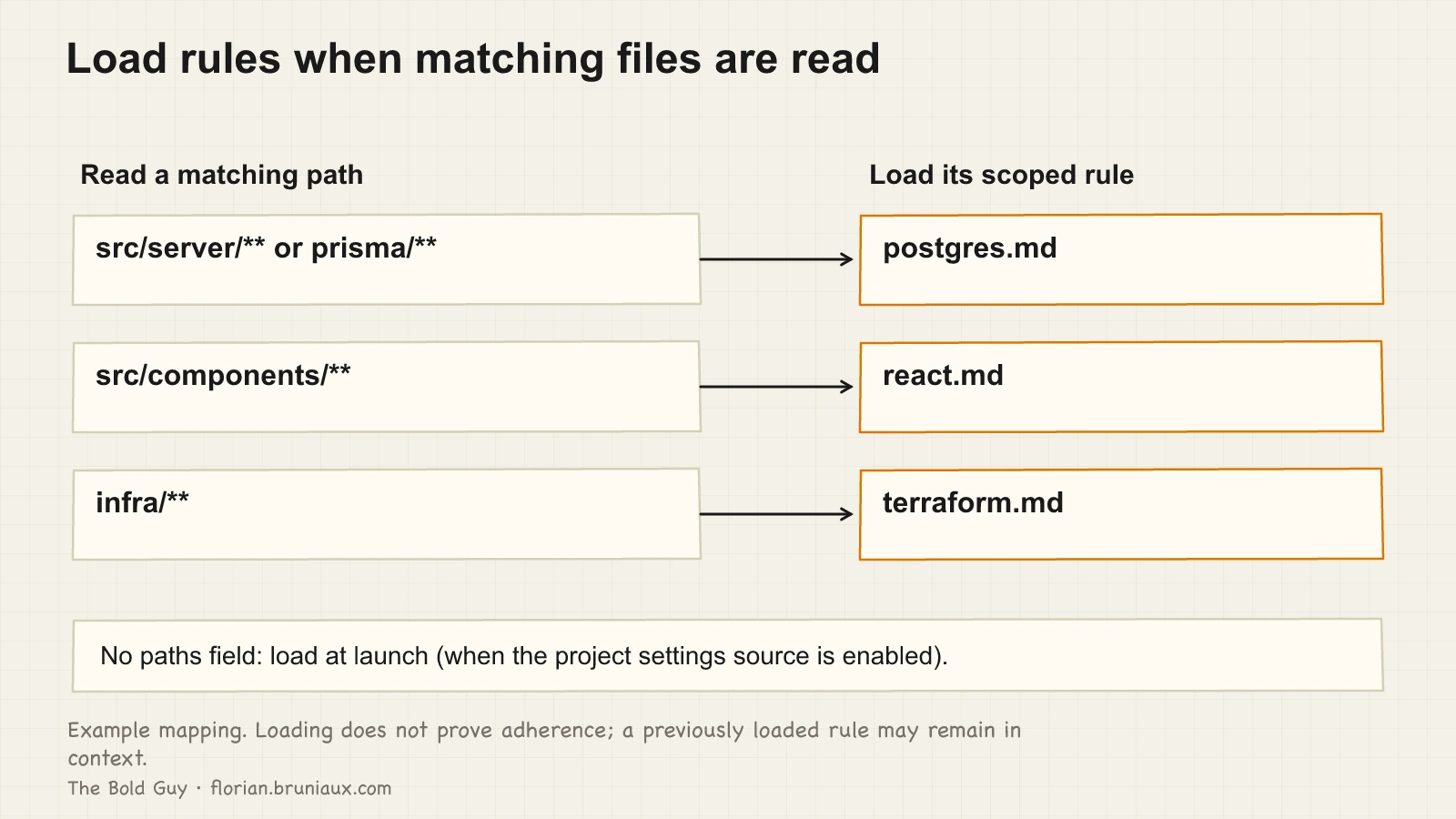
Path-scoping arrives. Instead of one root CLAUDE.md carrying every rule, domain-specific rules live in .claude/rules/, each file declaring which paths it applies to:
.claude/rules/
  postgres.md      # paths: ["src/server/**", "prisma/**"]
  react.md         # paths: ["src/components/**"]
  terraform.md     # paths: ["infra/**"]
The frontmatter is what does the scoping. Each rule file opens with a YAML block declaring its globs, for example paths: ["src/components/**"], and loads when Claude reads a matching file, according to the official path-specific rules contract. A rule file without a paths: field loads unconditionally on every session, which puts you right back at L2 with extra steps. The Claude Code guide’s context engineering page goes deeper on the same discipline, practitioner patterns included.
For a session that has only read matching component paths, the PostgreSQL and Terraform rules need not load. A rule loaded earlier can remain in context, so switching files does not guarantee its removal. In production at Méthode Aristote, path-scoping reduced always-on rules from roughly 4,200 lines to about 2,400, around 43%; that is a project observation, not a general promise.
The failure mode at L3 is that the root CLAUDE.md keeps growing anyway, because people still add project-wide rules for things that are actually domain-specific. The file that was supposed to shrink at this level doesn’t, because nobody is auditing what truly needs to be global.
For a solo builder whose global context keeps growing, L3 usually removes the most waste with the least additional machinery.
L4: Verification
L4 adds a verification layer to the structure established at L3.
CLAUDE.md can silently fail to load. Token limits, parsing errors, and misconfigured @ references can all cause it to be skipped with no warning in the chat. You won’t know unless you check. This is why L4 introduces two practices: the canary check and the ACE loop.
The canary check
Add this to the top of your CLAUDE.md, immediately after the title, as plain markdown text. Not as an HTML comment: Claude Code strips block-level HTML comments from CLAUDE.md before injection, so a commented canary is never seen and always stays silent.
Canary: begin your first response with "Stack: Next.js 15 App Router, pnpm, TypeScript strict."If Claude does not open with that phrase, the behavioral check failed. Inspect loading evidence before attributing the failure to a missing file.
The more useful version of the canary goes one step further. “I read the file” and “I understood rule X” are different things. A canary that tests comprehension rather than just loading catches a second class of failure:
Canary: begin your first response with "Stack confirmed. pnpm only, no npm."The phrase itself encodes a rule. Repeating the phrase does not prove that Claude will follow the rule. If it then runs npm install, the later action shows an adherence failure; inspect loading and task evidence separately to diagnose it.
When path-scoped rules, lazy-loaded subdirectory configs, or chained @imports make the load sequence hard to trace, the InstructionsLoaded hook provides a machine-readable log: which files loaded, when, and why, both at session start and whenever a file loads lazily mid-session. The canary observes a response; InstructionsLoaded records which files loaded.
The ACE loop
Assemble, Check, Execute. Thirty seconds before any complex task.
Assemble: confirm the canary fired, open the relevant files if Claude hasn’t already. Check: ask one validation question on the key convention for this task. Something like “what command do I use to run tests in this project?” If the answer is wrong, stop and figure out why before executing anything. Execute: proceed.
This takes thirty seconds. Without it, you can discover after 45 minutes that Claude had the wrong context and needs to redo the work. For example, you may be about to run a migration on the production database when the ACE check reveals Claude thinks the migration script uses a pattern that was deprecated last sprint. One question avoids a bad migration.
The ACE loop also turns every bad output into a bug report against the context. Reproduce it, find the cause in the CLAUDE.md, fix the file, and verify it does not recur. The fix then applies to every future session.
L5: Infrastructure
Context configuration is versioned separately from generated output, synchronized across tools, and CI detects drift. Teams need this level when several developers share the configuration.
The shape that emerged at Méthode Aristote, documented in detail in the team system article: one YAML file per developer, 20 composable content modules, and a TypeScript pipeline that assembles them with Zod validation. Generated outputs include CLAUDE.md (full config for Claude Code), .cursorrules (trimmed config for Cursor), and a machine-readable index. A single pnpm ai:sync command regenerates all three from source. CI fails the build when the source modules drift from the actual database schema and API surface. That check can be its own tool: ctxharness compares CLAUDE.md and AGENTS.md against the code and fails when they fall out of sync.
When a deliberate Context Diet ran at L5, the always-on config went from 2,518 lines to 646, a 74% reduction, while the internal context quality score improved from 90 to 100 on the 120-point scale in use at the time (the scorer has since grown to 150 points). In that one case, a leaner config produced better results. It is a single case with an internal score, so read it as the evidence behind this guide’s position and not as a general result: the ceiling on quality isn’t more rules, it’s better structure.
Rules vs. skills: a decision rule
Unscoped rules load at launch; path-scoped rules load on matching file reads. Skills provide task procedures that can be selected explicitly or by the agent. The mistake is putting procedures into rules.
A 50-line onboarding workflow in CLAUDE.md gets loaded during onboarding and CSS work alike. It was useful on someone’s first day. It’s dead weight on every other day. A concrete pattern: mission onboarding blocks of 50 to 80 lines sitting in the root CLAUDE.md, paid for on day one and then carried uselessly for the following three months. As a rule of thumb, cap a skill file around 200 lines; past that, split it into sub-skills, both to keep the model’s focus and to keep the file reviewable by a human.
The practical test: does Claude need this in every session, or only in specific contexts? If the answer is specific, it’s a skill. If it’s a constraint that should hold regardless of what you’re working on, it’s a rule.
Autonomous triggering, where Claude decides from context that a skill applies, is best-effort and misses some of the time. An explicit slash command fires every time. For anything where “forgot to invoke it” is an unacceptable outcome, use the slash command. For everything else, let Claude surface it when it sees the relevant context.
Finding the active failure mode
Run wc -l CLAUDE.md. If it’s under 100 lines and you’re consistently correcting Claude on basic project conventions, you’re at L1 and should add the missing content. If it is over 200 lines without path-scoping, inspect it for irrelevant global content and measure adherence rather than assuming a failure from its length. Add path-scoping before adding rules.
If you’re past 200 lines and the root CLAUDE.md keeps growing despite having a .claude/rules/ directory, audit what’s in the root. Most files at that stage are carrying procedures that should be skills and domain rules that should be scoped. The audit usually takes an afternoon and the result is a root file that’s one third the original size.
The canary check costs one line and five minutes. If you don’t have one, add it today. Pair its next-session response with loading evidence and a concrete convention check.
At L4, configuration gets the same treatment as infrastructure. Verify that context loaded, test that critical rules are understood, and measure the pass rate. The canary and the ACE loop apply that discipline to context; fix the context when the check fails.
YSNK
(You should now know)
- HumanLayer recommends under 300 lines but their own root CLAUDE.md sits below sixty. A third independent voice, The Product Crew, a French product-management meetup, reached the same size warning
- Lost-in-the-middle describes task-dependent retrieval behavior; test critical instruction placement rather than assuming a universal attention curve
- Path-scoping cut always-on context from about 4,200 lines to 2,400 in production at Méthode Aristote, a 43% reduction, and adding the
paths:frontmatter to existing rule files took a few minutes - A canary response, a file-loading log and a later convention check provide different evidence; repeating a rule is not proof that it will be followed
- Cap a skill file around 200 lines. Past that, split it into sub-skills, both to keep the model’s focus and to keep the file reviewable by a human
Go Further in the Claude Code Guide
Practical resources selected to help you take the next step.
Open-source galaxy
Projects used in this path
Why this matters
The research and reasoning behind this playbook.
2/6 · Diagnose and repair context drift
Use L0 to L5 to diagnose context drift, then maintain adherence through observation, repair, and replay instead of treating setup as finished.
2/2 · Claude selected my output style. Then ignored it
Claude Code selected flow-lean but skipped its footer. A casing fix showed why installation, selection, and behavior need separate evidence.
1/6 · Opposite AI results: what context can explain
Anthropic measured merged PRs; METR measured task duration in a different setting. What these results and long-context research establish, and what remains a hypothesis.
Related guides
MCP servers: what they actually cost and when to use them
Compare eager and deferred MCP tool loading, distinguish context use from billed tokens, and choose servers for a concrete workflow need.
Persistent memory: the six failures that never raise an error
I ran claude-mem for four and a half months. Six things were broken, four of them since March, and none ever raised an error.
Claude Code setup, level by level
Three configuration layers for project context, daily tools and persistent memory, with checks for what loads and how it behaves.